Knowledge Base
The Knowledge Base is a small library of markdown articles you keep about an application. Its purpose is to give the AI lasting context about your application — the vocabulary, the quirks, the "things everyone on the team just knows" — so assistant sessions and scans start informed instead of rediscovering them every time.
It lives on the Knowledge Base tab of the application (visible when AI Assistants are enabled).
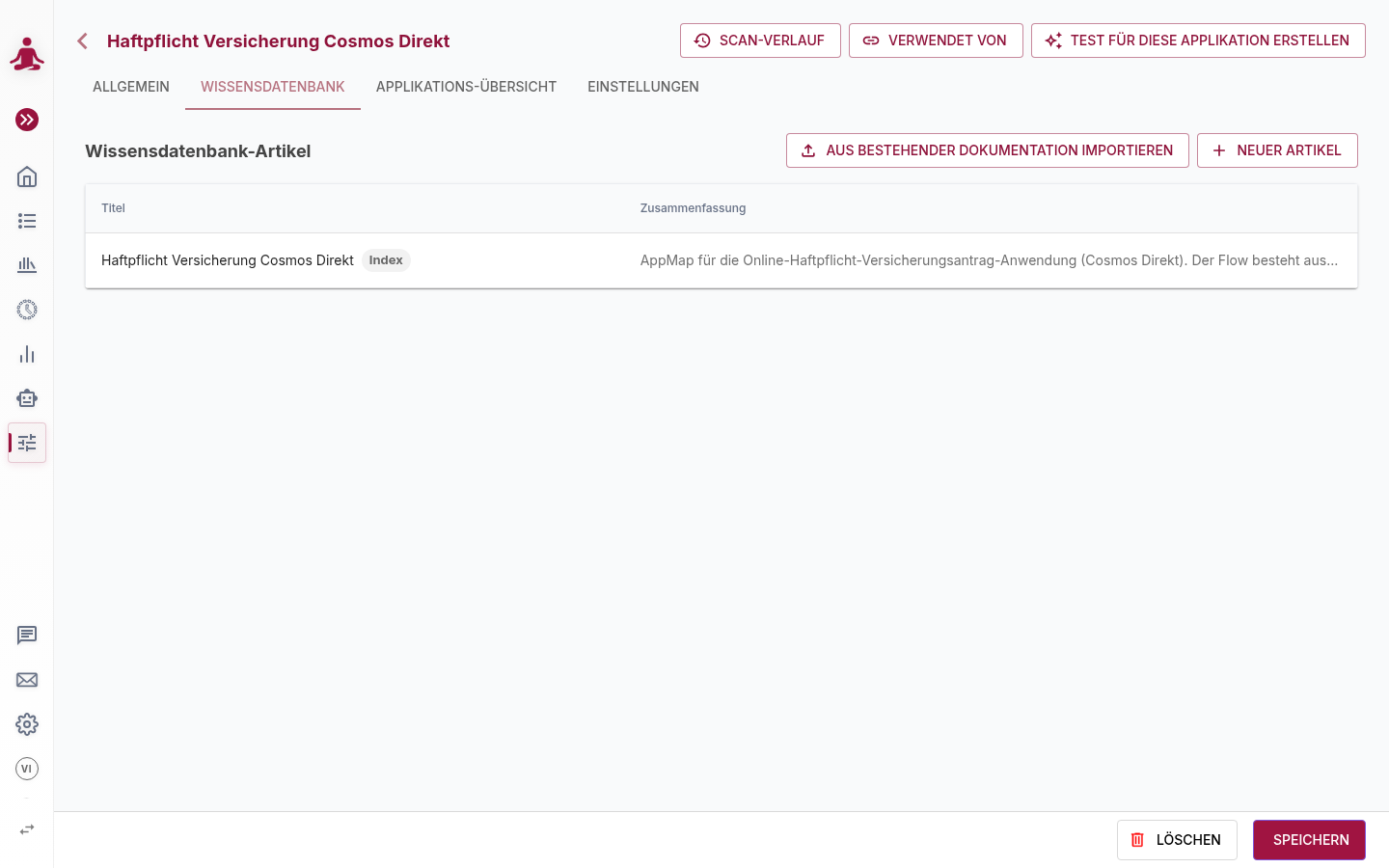
The index article is the AI's briefing
The first article is the index (root) article, marked with an Index chip. It acts as a persistent briefing for the AI — much like a project's README. Once saved, its content is automatically included in every new AI session for that application, with no extra action from you. The other articles are available to the AI on demand when a session needs deeper detail.
A scan (Application Map) seeds the index article for you — the agent writes down what it learned about the application as it mapped it.
Articles
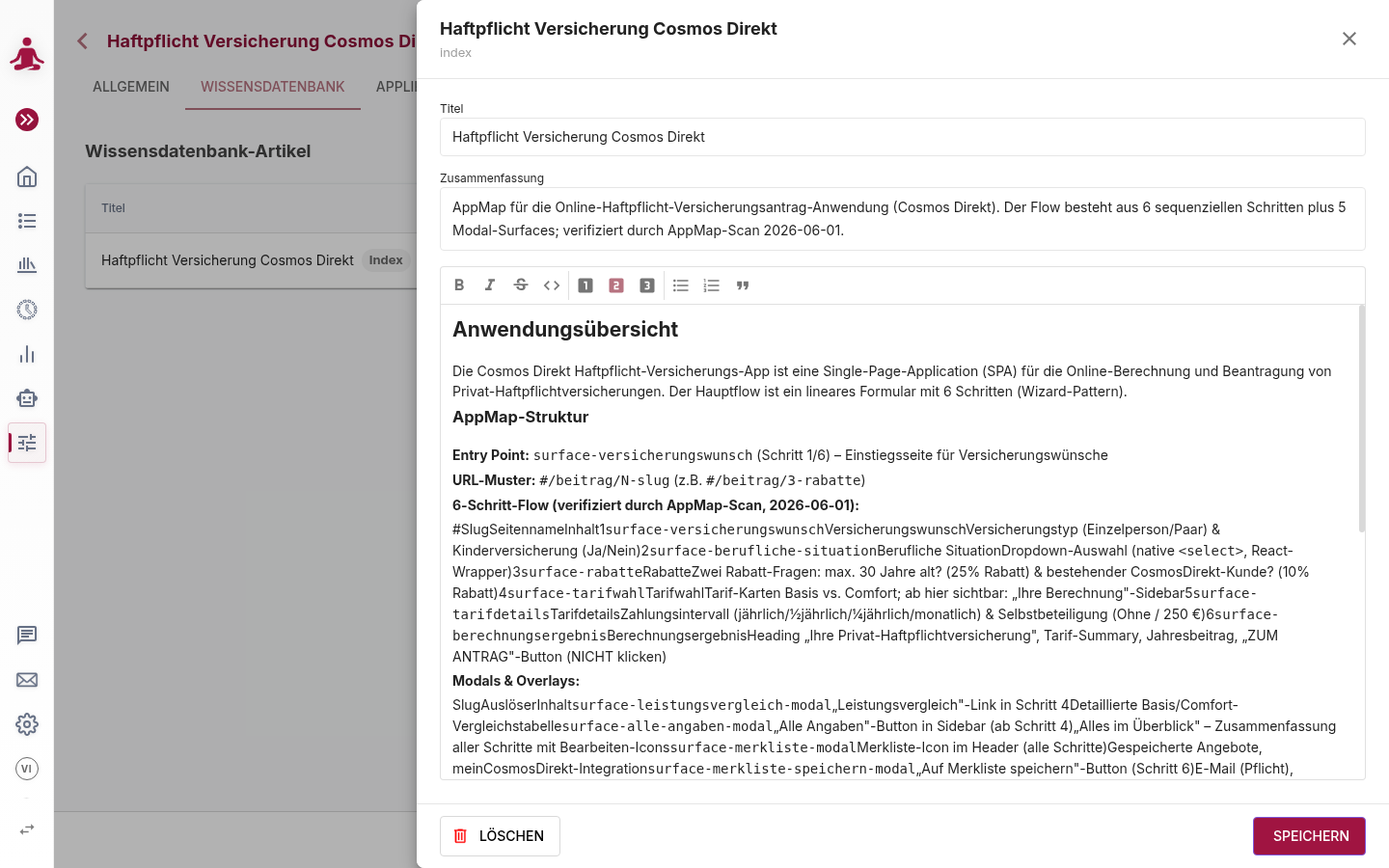
Each article has three fields:
| Field | Description |
|---|---|
| Title | The article's name. |
| Summary | A short description (one or two sentences) shown in the list and used by the AI to decide whether to open the article. |
| Body | The article content, written in the markdown editor. |
Maintaining articles
- New article opens the editor with empty fields. Save is enabled once the title and summary are valid. The first article you create becomes the index; later ones do not.
- Import from existing documentation lets you bring in content you already have rather than writing it from scratch.
- Click any article to edit it; the editor panel has its own Save and Delete. This is separate from saving the application record.
The body editor supports common markdown — headings, bold / italic, inline code, lists, quotes and code blocks. It does not support markdown tables or links, so avoid those in article bodies.
The AI can read and update articles
With your tenant's AI features enabled, the assistant can read Knowledge Base articles to ground its work, and write to them to record what it learns — for example, updating the index after it fixes a test or maps a new flow. Knowledge-base writes are treated as the agent's long-term memory and are reviewed out-of-band rather than blocking the session; provenance (which session wrote an article) is recorded.
Using a Knowledge Base from any session
When you start an assistant session that is not already tied to an application (for example a Free chat or a create-test session), you can optionally pick an Application in the starter. The session then receives that application's index article as context, even though its scope is otherwise unchanged.