AI behaviour
The AI behaviour card (on the Settings tab) lets you extend the system prompts sent to msg.ZenTestAI's AI agents so they get extra context about this application. Provide concrete instructions ("if the user clicks Save, also confirm the dialog that appears"), domain vocabulary ("PO means purchase order"), or page-specific quirks.
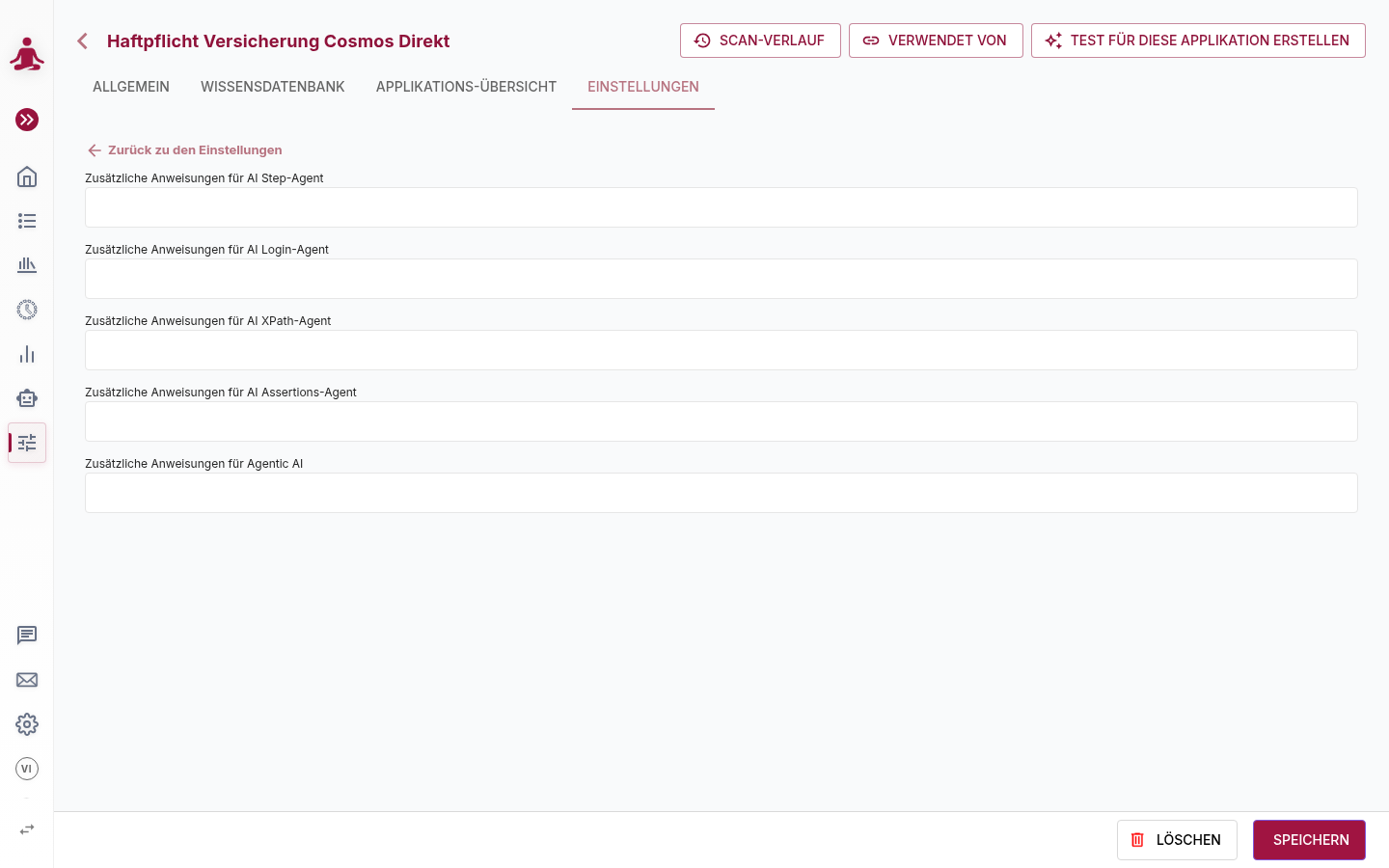
The agents you can enhance:
| Agent | Used for |
|---|---|
| Step-Agent | Translates a natural-language step into a concrete sequence of actions. Add hints like "the value help opens the lookup dialog". |
| Login-Agent | Drives the login flow. Add hints like "the user is logged in once the avatar in the top-right is visible" or "accept the cookie banner first". |
| XPath-Agent | Identifies elements on the page. Add hints like "every input field has a data-testid attribute". |
| Assertions-Agent | Validates assertions made in test steps. Add hints like "the application returns localized error messages — match by error code, not text". |
| Agentic AI | The fully agentic mode of operation. Use this to influence autonomous browser interactions across all test steps when running the agentic flow. |
tip
These instructions are scoped to this application. For tenant-wide model selection and the AI assistants, see Enabling AI features.